 Nectar AI
Personas
A persona is your identity in the conversation. Set a name, description, gender, and profile image to introduce who you are to your companion.
What personas are
Use different personas for different chats. Be a mysterious stranger in one and yourself in another.
The number of personas you can create depends on your plan: Premium includes 1, Pro includes 3, and Ultimate includes 10. Check Plans & Pricing for the current allowance on your plan.
Creating a persona
You can create a persona from two places:
Your profile page: Go to your profile, select the Personas tab, then Create Persona.
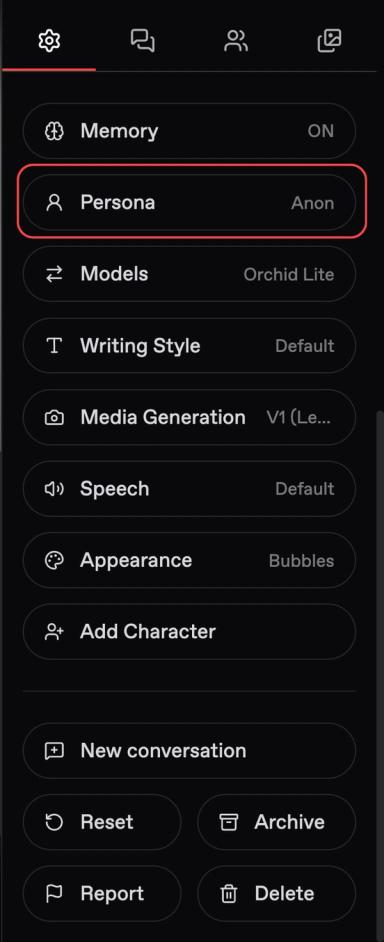
In any chat: Tap the gear to open Chat Settings, select Persona, then Create Persona +.
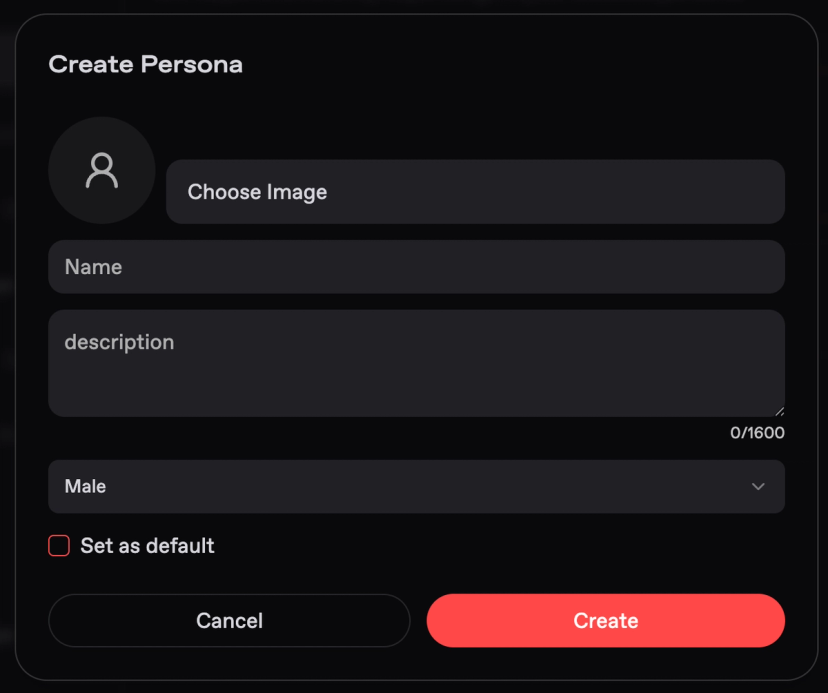
Fill in the four fields:
Field | What to enter |
|---|---|
Image | A profile picture for your persona. Use the options shown in the form. |
Name | What you want your companion to call you. |
Description | Your backstory, appearance, personality, or preferences. Up to 1,600 characters. |
Gender | Your persona’s gender. |
For example:
Image: An illustration of your fictional character.
Name: John.
Description: “John is a 32-year-old firefighter who works night shifts. He has brown hair and a dry sense of humor. He enjoys quiet dinners after work.”
Gender: Male.
Start with the details that matter to your conversation. You do not need to fill the description limit.
Select Set as default if you want this persona used automatically in new conversations. Then save your persona.
Switching personas
To choose a persona for a conversation:
Open Chat Settings.
Select Persona.
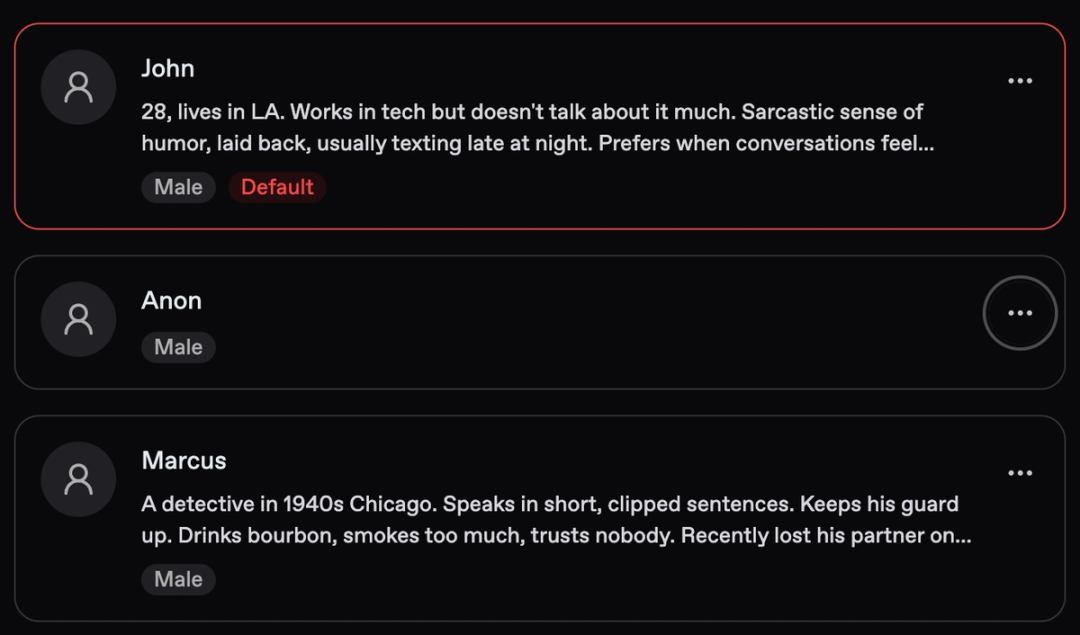
Choose a persona from the list. The active one is highlighted.
You can have one active persona per conversation. Check the highlighted selection to see which identity you’re using.
Things to know
Your persona represents you. Your companion is the character you’re talking to.
Default and active are different. The default is your starting choice for new conversations. The active persona is the one selected in a particular chat.
Keep your introduction consistent. If your persona says John works nights, use that same detail when setting up a scene.
Last updated on